API rules and filters
Control collection access and filter records for guests, users, and superusers.
Use API rules to decide who can list, view, create, update, or delete records and which records they can see or change. A rule is both an access control and, for applicable operations, a record filter, so write it as a policy over the collection schema and request context.
Rule states and outcomes
Each collection has listRule, viewRule, createRule, updateRule, and deleteRule. Auth collections also have options.manageRule for managing another user's data. Each rule has one of these states:
| Value | Meaning |
|---|---|
null (locked) | Only an authorized superuser can perform the action. This is the default. |
| Empty string | Guests, authenticated users, and superusers can perform the action. |
| Non-empty filter | Only requests that satisfy the expression can perform the action; list and view behavior also filters returned records. |
For a failed non-locked rule, list requests return an empty successful list, create requests return 400, and view, update, or delete requests return 404. A locked rule returns 403 to a non-superuser. Superusers bypass API rules.
When a rule blocks a request
PocketBase returns an API error object for blocked create, view, update, and delete requests. The response uses the same JSON shape for each error: data is an object, message explains the result, and status repeats the HTTP status. A list rule is different: when its expression matches no records, the API returns 200 with a normal list response whose items array is empty.
| Operation and response | Cause | Fix |
|---|---|---|
403 Forbidden<br />{"data":{},"message":"Only superusers can perform this action.","status":403} | The operation's rule is locked (null) and the request is not authorized as a superuser. | Set the rule to an intentional empty or non-empty expression for the access you need, or make the request as an authorized superuser. Keep it locked when only superusers should have access. |
List: 200 OK with "items": [] | A non-empty listRule does not match the request context or any records. This is a filtered, successful result—not an error response. | Check the request identity and filterable fields, then adjust the rule or the records so the intended records satisfy the expression. |
400 Bad Request<br />{"data":{},"message":"Failed to create record.","status":400} | A non-empty createRule evaluates false for the submitted record or request data. | Submit values and request context that satisfy the rule, or revise the rule to match the create workflow. |
404 Not Found<br />{"data":{},"message":"The requested resource wasn't found.","status":404} | A non-empty viewRule, updateRule, or deleteRule does not match the target record and request context. PocketBase uses the same response when the record does not exist. | Check the record ID and the rule inputs, then adjust the rule, request identity, or record data. Do not use this response alone to distinguish a hidden record from a missing record. |
For every operation except listing, test the request with the intended guest or authenticated identity after changing the rule. A superuser bypasses these rule checks, so a superuser test confirms the record or request shape but does not confirm that the rule protects it.
Open the rule editor
You need an authenticated administrator with access to the Dashboard and an existing collection. The following captures show the location of the collection settings and the API rules controls. Do not save a rule while exploring this page.
Open the collection settings for the collection you want to protect.
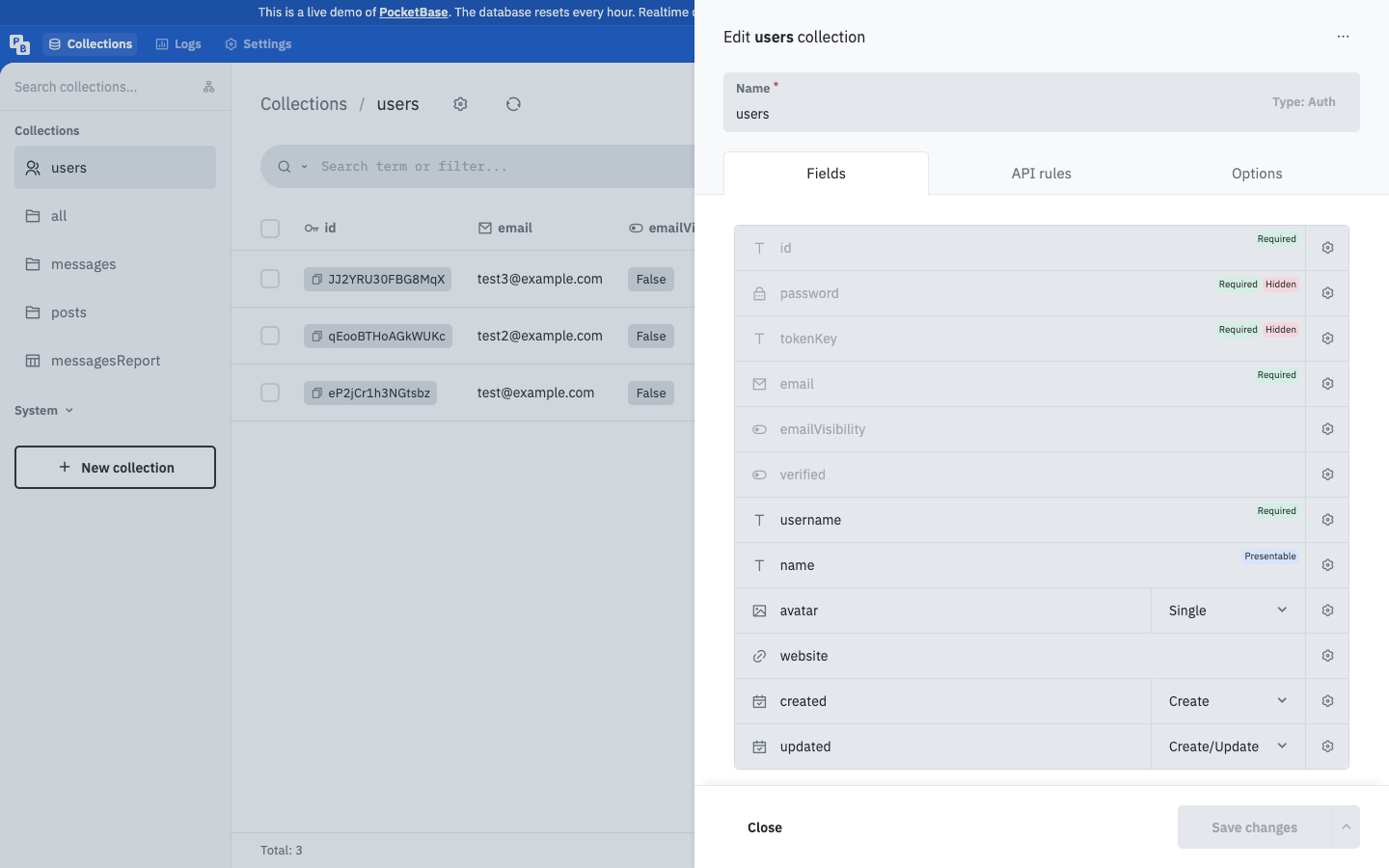
Open the API rules configuration. Review the separate controls for List/Search rule, View rule, Create rule, Update rule, and Delete rule. Auth collections also show their additional management rule.
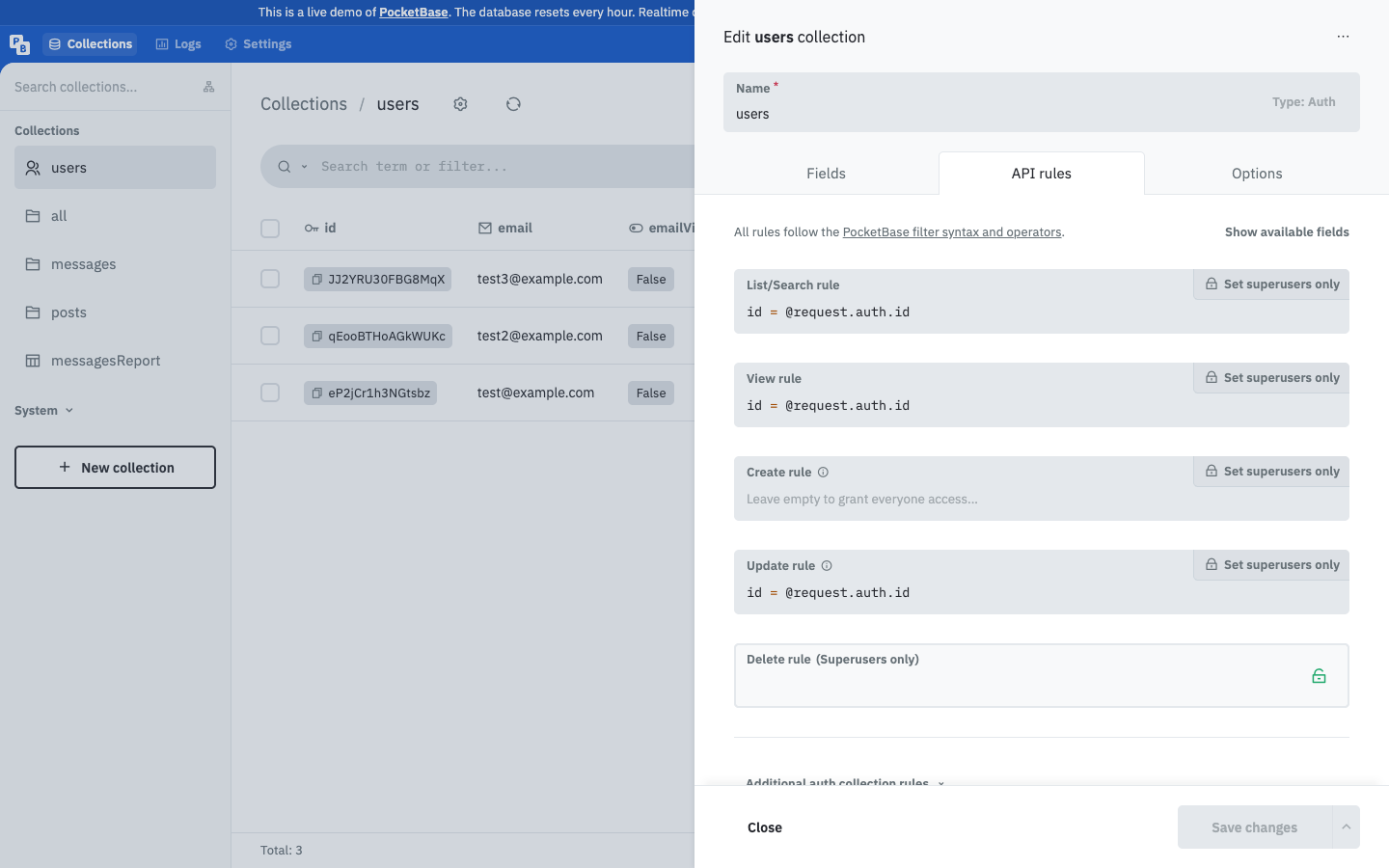
Select the control for the operation you are configuring and leave it null for superuser-only access, use an empty value only for intentionally public access, or enter a non-empty filter expression to constrain the request and matching records. The editor now shows the selected value for that operation.
Save the collection changes, then test the operation as a guest, an ordinary authenticated user, and a superuser. A successful list may contain zero records when filtering applies; a locked rule returns 403, while failed view, update, and delete checks return 404.
Write filter expressions
Use collection fields, nested relation fields, and request context identifiers. Common examples are:
@request.auth.id != ""
@request.auth.id != "" && (status = "active" || status = "pending")
@request.auth.id != "" && author = @request.auth.id
Expressions use operands and operators such as =, !=, comparisons, ~ and !~ for contains matching, and the ? forms for any or at-least-one matching. Combine expressions with parentheses, &&, and ||. @request.auth.* describes the current authenticated model; @request.body.*, @request.query.*, @request.headers.*, and @request.method describe request data. @collection.* can compare related collection data when no direct relation field exists.
For multiple relations and arrays, matching is match-all by default. Prefix the operator with ? when you need any or at-least-one matching, such as allowed_users.id ?= @request.auth.id.
Next, apply the policy while creating, querying, updating, and deleting records, and use the authentication model to choose the request identity.