Build your first PocketBase app
Run PocketBase, prepare a collection, secure access, authenticate, and read a record through the API.
You will take a local PocketBase server to a first authenticated API request. The workflow introduces collections, API rules, authentication, and the difference between a collection list request and a single-record request.
Before you begin
Complete Install and run PocketBase, keep the server at http://127.0.0.1:8090, and sign in to the admin UI as a superuser. Use synthetic local data.
Follow the first-success workflow
Open http://127.0.0.1:8090/_/, select Collections, then users. The page shows Collection settings, Refresh, API preview, and New record.
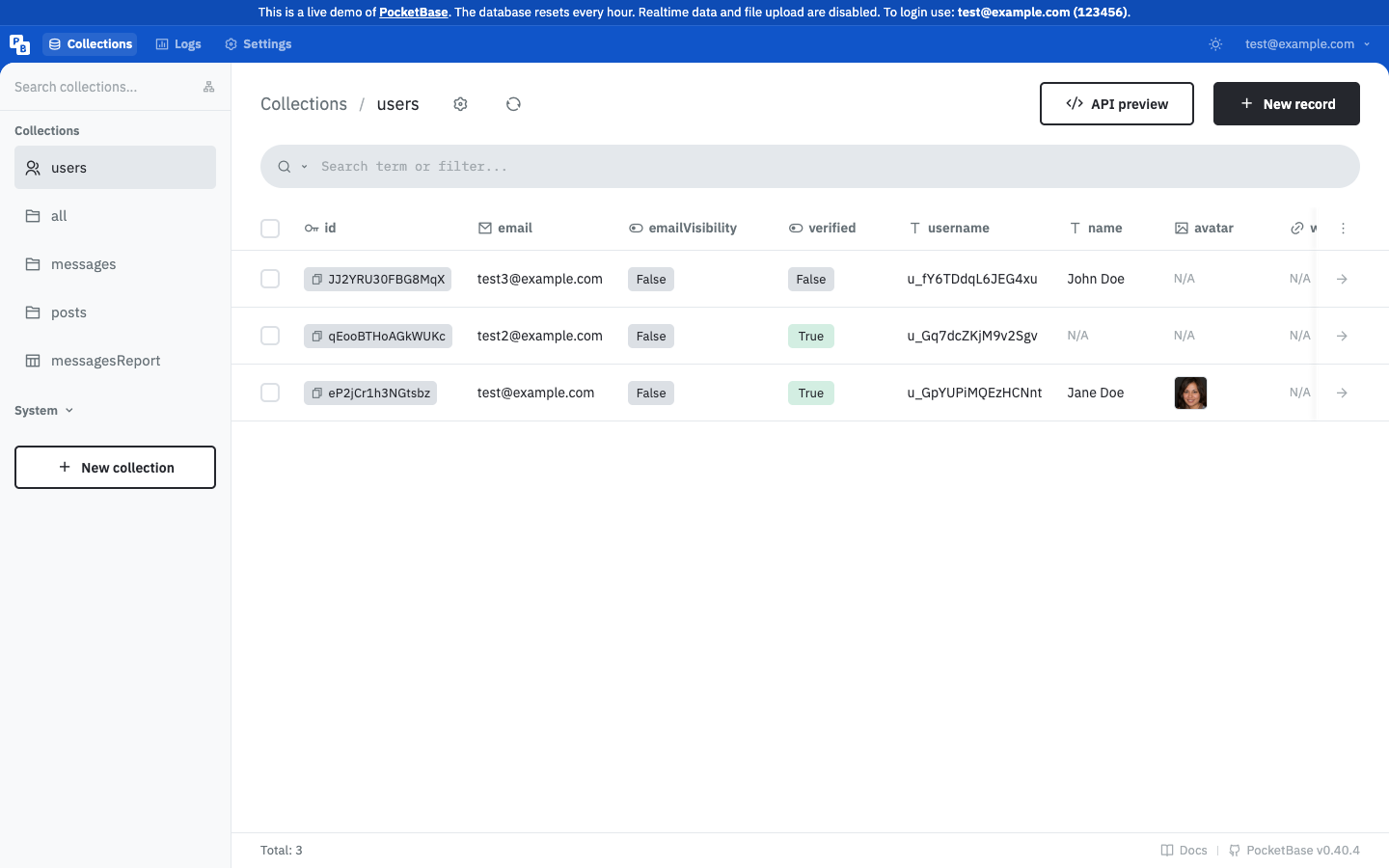
In Collections, create notes with a text field named body, then create one record whose body is First note. Copy the record ID from the record view.
Set the list and view rules to an authenticated-user condition such as @request.auth.id != "". Keep create, update, and delete restricted until you have decided how users may modify notes. Save the rules.
Create a user with a synthetic address such as reader@example.com, then authenticate with an official SDK or the authentication API. Store the returned auth state in the client SDK's auth store. Never put a superuser credential in a browser or mobile app.
Use the authenticated client or equivalent HTTP requests:
curl 'http://127.0.0.1:8090/api/collections/notes/records'
curl 'http://127.0.0.1:8090/api/collections/notes/records/RECORD_ID'
Replace RECORD_ID with the ID you copied. The first request lists records; the second reads one record when authentication and API rules allow it.
notes record and the record request returns the same record by ID.Understand the request flow
The collection endpoint lists records. The record endpoint narrows the request to one ID. Both are subject to collection API rules, so authentication and authorization are part of the request contract.
Troubleshoot the first request
If the list request returns an authorization error, confirm that the client sent its current auth state and that the list rule admits the user. If the record request returns not found, check the collection name and ID. If the list is empty, inspect filters and visible records before changing the rule.
Continue with collections and data modeling, API rules and filters, or the records API reference.