Manage superusers and the admin UI
Create administrator accounts, restrict superuser access by IP, and understand the admin dashboard boundary.
Use this guide to establish administrator access from the command line and identify where administrative work happens in the PocketBase dashboard. A superuser has unrestricted administrative access, so keep these credentials separate from application-user accounts.
The result is a working superuser login, an understood dashboard boundary, and—if needed—a restricted set of source IP addresses. Complete these commands against the PocketBase instance whose dashboard you intend to administer.
Before you begin
You need a running PocketBase instance and terminal access to its directory. Use a synthetic address such as admin@example.com and a strong local password; never place a real password in documentation.
Create and protect administrator access
Run:
./pocketbase superuser create admin@example.com 'REPLACE_WITH_A_STRONG_PASSWORD'PocketBase validates the email and reports successful account creation.
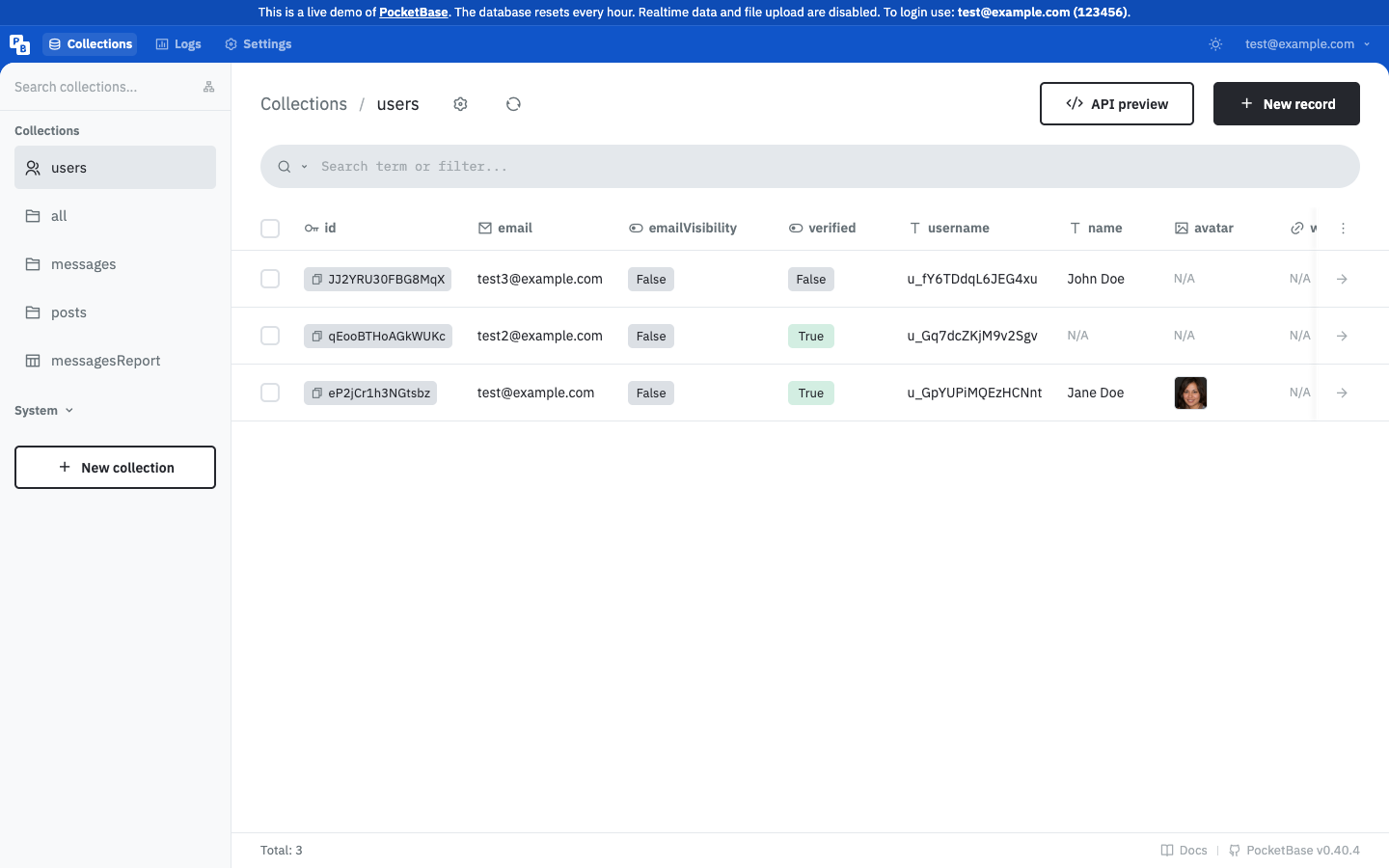
Open http://127.0.0.1:8090/_/, sign in, and select Collections, then users. The collection view shows the administrative navigation and actions.
Use upsert when the account may or may not exist:
./pocketbase superuser upsert admin@example.com 'REPLACE_WITH_A_NEW_STRONG_PASSWORD'The command creates a missing account or updates the matching account and reports that it was saved.
Set a space-separated allowlist:
./pocketbase superuser ips 127.0.0.1 10.0.0.0/24To clear the restriction, run ./pocketbase superuser ips with no IP arguments. PocketBase reports the updated setting.
/_/, opening Collections, and confirming that the intended administrative actions are available. If you enabled an IP allowlist, repeat the check from an allowed address.This verification distinguishes administrator access from application authentication: the dashboard check must succeed with the superuser account, while application users continue to use the Web API and collection rules. If the allowlist is enabled, the source address used for the check must match one of its entries.
Understand the dashboard boundary
The admin UI is for superusers and administrative operations. Application users access collections through the Web API and collection rules; authentication in an auth collection does not grant dashboard access. Keep administrator credentials and tokens in a protected server-side environment.
Limitations and recovery
- If
superuser createrejects the input, check that the email is valid and both arguments are present. - If
superuser upsertupdates the wrong account, verify the email before rerunning it. - If an IP allowlist locks you out, run
./pocketbase superuser ipsfrom an approved environment to clear it, then apply a narrower list. - If the dashboard is unavailable, verify that
serveis running and use the address configured by--http.
Next, review API rules and filters and authentication before exposing application data.