Server configuration reference
Reference the PocketBase server flags and settings used to control HTTP, HTTPS, origins, rate limits, proxies, and backups.
Use this reference to choose safe server addresses and application settings before exposing PocketBase to clients. You need superuser access for application settings and access to the process command line for serve flags.
Review settings in the Dashboard
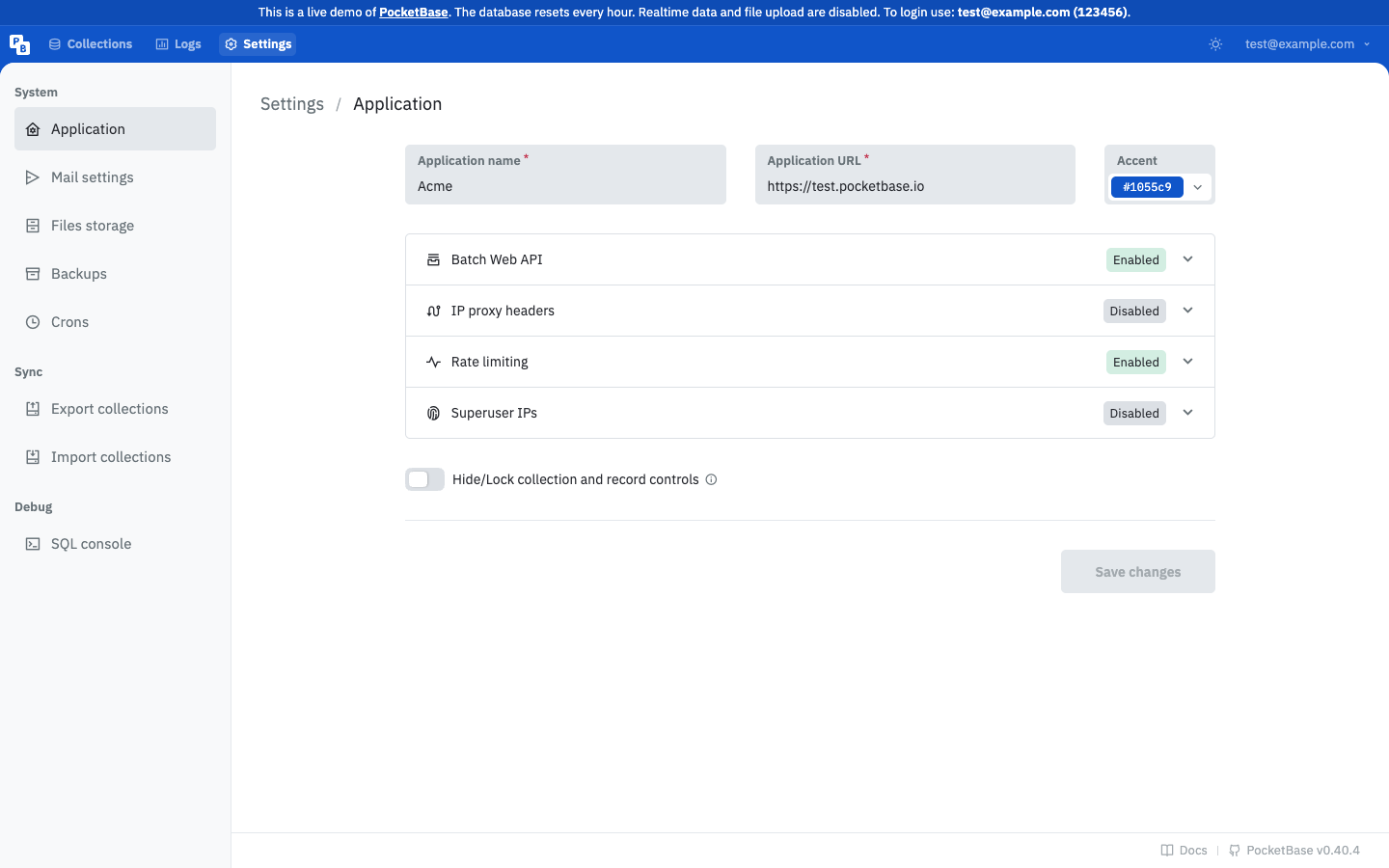
Open Settings and review the available operational sections before changing a value. The navigation includes Application, Mail settings, Files storage, Backups, and Crons. The Save changes control is disabled until a setting changes.
serve
Starts the PocketBase HTTP server and accepts persistent flags for network configuration.
| Option | Type | Default | Meaning |
|---|---|---|---|
--http | string | 127.0.0.1:8090 without domain arguments | TCP address for HTTP. With domain arguments, the default is 0.0.0.0:80. |
--https | string | empty without domain arguments | TCP address for HTTPS. With domain arguments, the default is 0.0.0.0:443; incoming HTTP is redirected to HTTPS. |
--origins | repeated string | * | CORS allowed domain origins list. Restrict this to the origins that call your API. |
./pocketbase serve --http=127.0.0.1:8090 --origins=https://app.example.comrateLimits
rateLimits controls the built-in rate limiter in application settings.
| Field | Type | Default or condition | Meaning |
|---|---|---|---|
enabled | boolean | disabled unless enabled | Turns rate limiting on. |
rules | array of RateLimitRule | required when enabled | Defines a label, audience, duration in seconds, and maximum requests. Labels can be tags, complete paths, or path prefixes ending in /. |
excludedIPs | array of strings | empty | IP addresses or subnets excluded from rate limiting. |
Rules are matched by label, with direct matches taking precedence over prefix matches. Labels must not conflict for the same audience. Use a narrow rule for sensitive endpoints and verify the resulting response behavior before broadening coverage.
trustedProxy
| Field | Type | Default | Meaning |
|---|---|---|---|
headers | array of strings | empty | Explicit proxy headers to inspect. |
useLeftmostIP | boolean | false | Uses the left-most IP from trusted headers. Treat X-Forwarded-For carefully because clients may prepend values before a proxy appends trusted values. |
backups
| Field | Type | Default or condition | Meaning |
|---|---|---|---|
cron | string | empty disables automatic backups | Cron expression for scheduled backups. |
cronMaxKeep | integer | required and at least 1 when cron is set | Maximum number of cron-generated backups to retain. |
s3 | object | optional | S3-compatible destination for application backups. |
An invalid cron expression is rejected. See Backups and restore for operational actions and Configure mail and file storage for S3 fields.
Verify a change
Read the effective settings as a superuser through the settings API or reopen the relevant Dashboard section. For a server flag, restart the process with the intended arguments and confirm that the listener and allowed origin behavior match the chosen values. Do not treat a successful settings save as proof that an upstream proxy or TLS certificate is configured correctly.
Related references
Read API rules and filters for collection access policy, logs, health, and statistics for operational signals, and Deploy PocketBase to production for deployment-specific decisions.